Chinese Army Chess Online
Play Chinese Army Chess, also called Junqi or Luzhanqi, against a real person on a 5×12 board. A public room waits in the lobby for whoever joins. A private room is the link you send. The host chooses Red or Blue, and the player who joins takes the other side. Red moves first. Once both seats are filled, later visitors watch.
Create a room
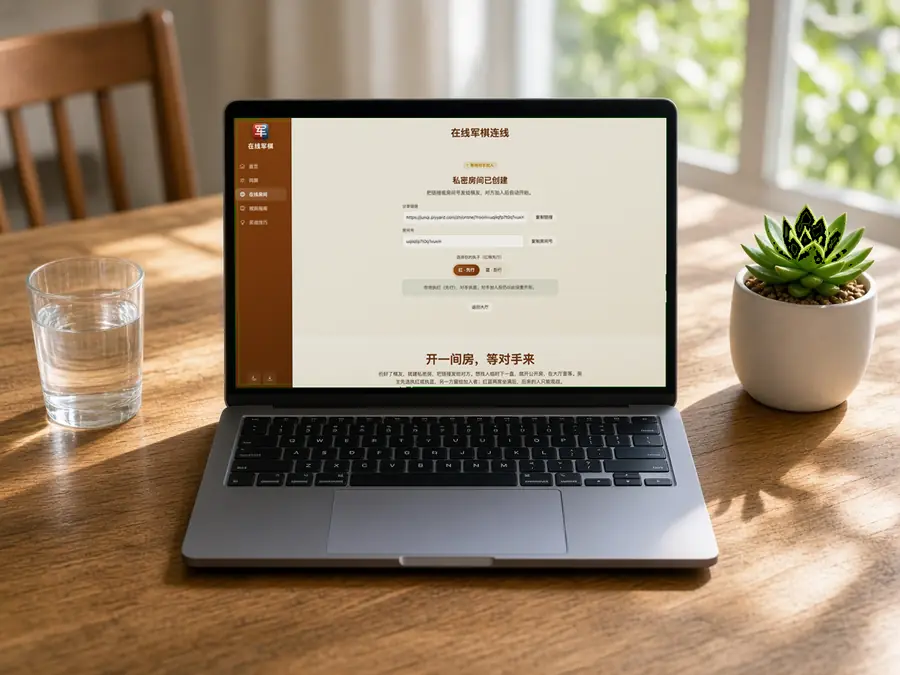
Choose a room type, then invite a player with the link or room code.
A public room appears in the lobby while its second seat is open. This browser may host only one public room at a time.
Join a room
Paste an invitation link or enter a room code. An open seat lets you play; a game already in progress opens in spectator mode.
Leaving does not end the game. The host can return through My rooms or close the room; if both players go offline, it remains available for about 20 minutes. A room code connects this game and does not store personal information.
Room lobby
My rooms
0Waiting for opponent
0In progress
0Creating public room…
Assigning a room code. Please wait.
Public room created (5×12 board)
Send the link or room code to a friend. The game starts when they join.
You will play Red and move first; your opponent will play Blue. The game will still begin with this setup when they join.
Connection interrupted. Reconnecting…
Join a room
We found a room in the shared link. Connect now, or edit the room code first.
Entering the room…
Connecting to room . Please wait.
Connection interrupted. Reconnecting…
Your opponent left the room
They disconnected. Return to the lobby to create or join a room.
Connection failed
Room not found. The code or link may be incorrect, or the room may have closed. Check it and try again.
Chinese Army Chess Online
Play in a Room
This page is Chinese Army Chess against a real person, also called Junqi or Luzhanqi, on a 5×12 board. Send a private link, or wait in the public lobby for whoever joins. The host chooses Red or Blue; the player who joins takes the other side. Once both seats are occupied, anyone else who opens the room can watch but cannot join the game.

Choose the Right Room
A public room is listed in the lobby, and the next visitor may take the empty seat. A private room stays off that list. It has no separate password—the link or room code is the invitation—so send it directly to the person you want to play. Anyone who sees the link may be able to enter the room.
Your Seat Is Remembered
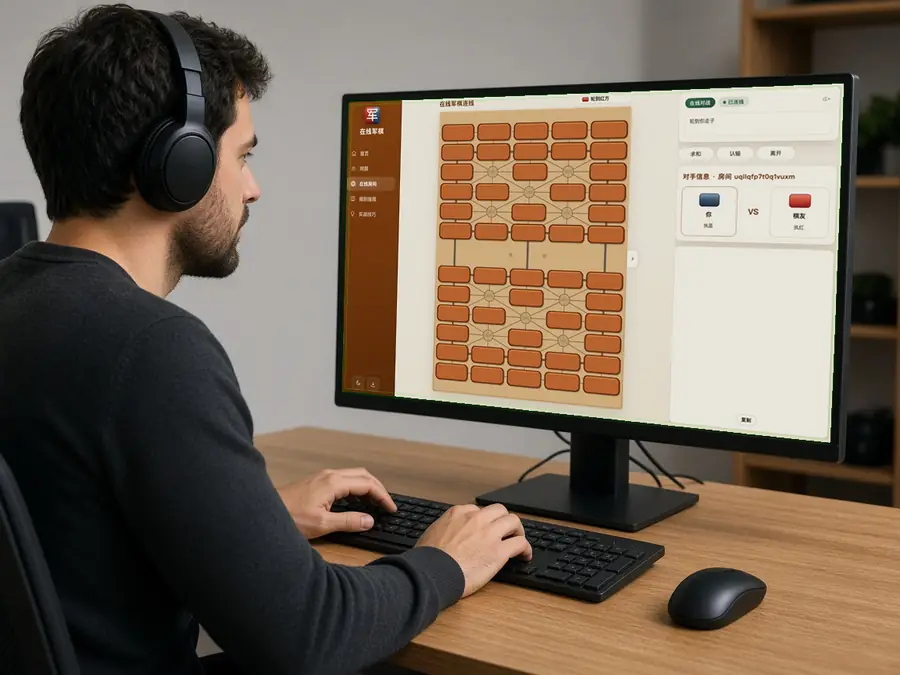
The first player to join takes the side left open by the host. Your browser remembers that seat, so refreshing the page or briefly losing your connection will usually return you to the same game. Once both sides are taken, later visitors become spectators and cannot displace either player.
Leave or Close?
Going back to the lobby or dropping offline does not forfeit the game. The room remains available, usually for about 20 minutes after both players leave. Leave the room open if you expect to return, resign when the game is over, or close it as host when the invitation should stop working. Online moves cannot be undone by one player alone.
Common Questions
How do we start an online game of Chinese Army Chess?
This page is Chinese Army Chess against a real person, also called Junqi or Luzhanqi, on a 5×12 board. Create a private room and send the link or room code, or create a public room and wait in the lobby for whoever sits down. The game starts when both seats are taken. The four-player game, Si Guo Jun Qi, is not played here.
What is the difference between a public room and a private room?
A public room is listed in the lobby, and the next visitor may take the open seat. That person may be someone you do not know. A private room stays off the lobby and has no extra password. The link or room code is the invitation. Send it only to the person you want across the board. Anyone who can see the link can open the room.
Does an online game use Dark or Flip?
Both players sit down to a Dark game: 25 pieces on each side's own half, camps empty, every piece face down. An online room cannot be switched to Flip. For a mixed board of 50 pieces, use one screen or play the AI.
Who plays Red, and who moves first?
The host chooses Red or Blue when the room is created. The player who joins takes the other side. Red moves first.
Can someone else join after both seats are filled?
They can watch. They cannot take a seat from either player, and they cannot move a piece.
Can we undo or ask for a hint online?
You cannot undo on your own, and there is no hint. You can offer a draw or resign. Once the room accepts a move, it appears on the other player's board. Check the flag, the mines, and the railway before you move.
If the connection drops or I refresh, does the game still count?
Yes. Your seat remains, and the same link or room code usually brings you back. Moves the room has already accepted stay on the board. If both players leave and the room is idle for about 20 minutes, it expires. When the host closes the room, the previous link no longer opens it.
Can the other player see my face-down pieces?
The types of pieces that are still face down stay in the room. Both screens show the face-down side. A rank appears when the piece is flipped, or when a move onto that square resolves a capture.
Do I need an account, and is the game saved?
There is no account to create and no app to install. The room only keeps this game in sync. It does not store the game under an account. The game ends when the host closes the room, or when both players have been away for about 20 minutes.
How many public rooms can one browser open?
One. If this browser already has a public room waiting, return to that room or close it before opening another. A private room uses a link and does not take the lobby slot.